Hangout iOS
Mobile networking app
iOS app in the App Store: find networking in the city, “My plan”, profile, and dynamic QR at entry - plus an organizer panel in the same app.
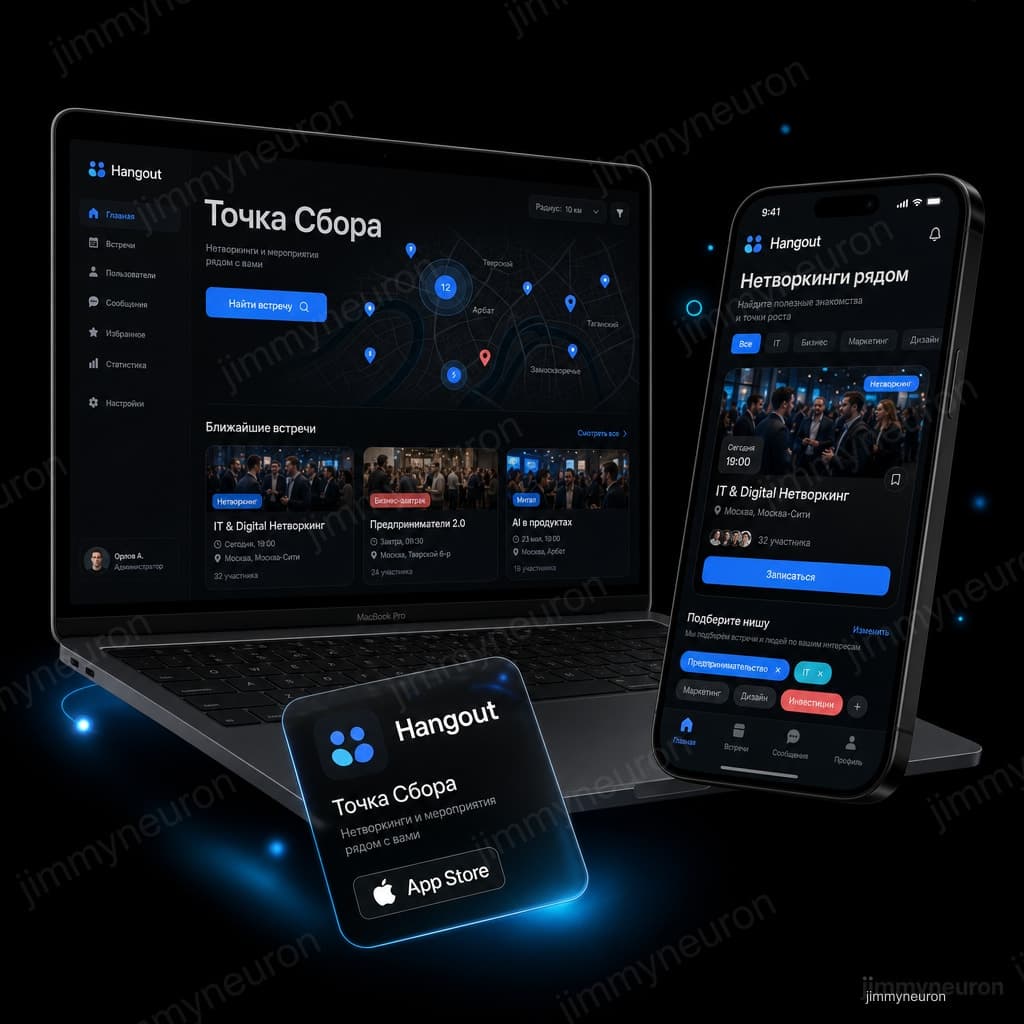
iOS · App Store
Platform
Own product
Type
Networking / events
Focus
Catalog · QR · push
Features
- 01 · Client
Hangout (Meeting Point) is JimmyNeuron’s iOS app for live connections and business meetups in your city.
- 02 · Challenge
The home screen must sell the "find a meetup nearby" scenario within the first seconds.
- 03 · Solution
We designed and built Hangout iOS end to end: event catalog, cards, profile, “My” RSVPs, push, and gamified discovery/creation.
- 04 · Result
Hangout (Meeting Point) published in the App Store: event catalog, “My plan”, profile with dynamic QR, and organizer panel.
Hangout - iOS for networking | JimmyNeuron case
About the client
Hangout (Meeting Point) is JimmyNeuron’s iOS app for live connections and business meetups in your city. A participant finds nearby networking events, RSVPs, keeps them in “My plan”, and enters with a dynamic QR. An organizer creates meetups and checks guests from a panel in the profile.
The challenge we started with
- The home screen must sell the "find a meetup nearby" scenario within the first seconds
- Sign-up and "My plan" - without turning the app into a calendar for everything
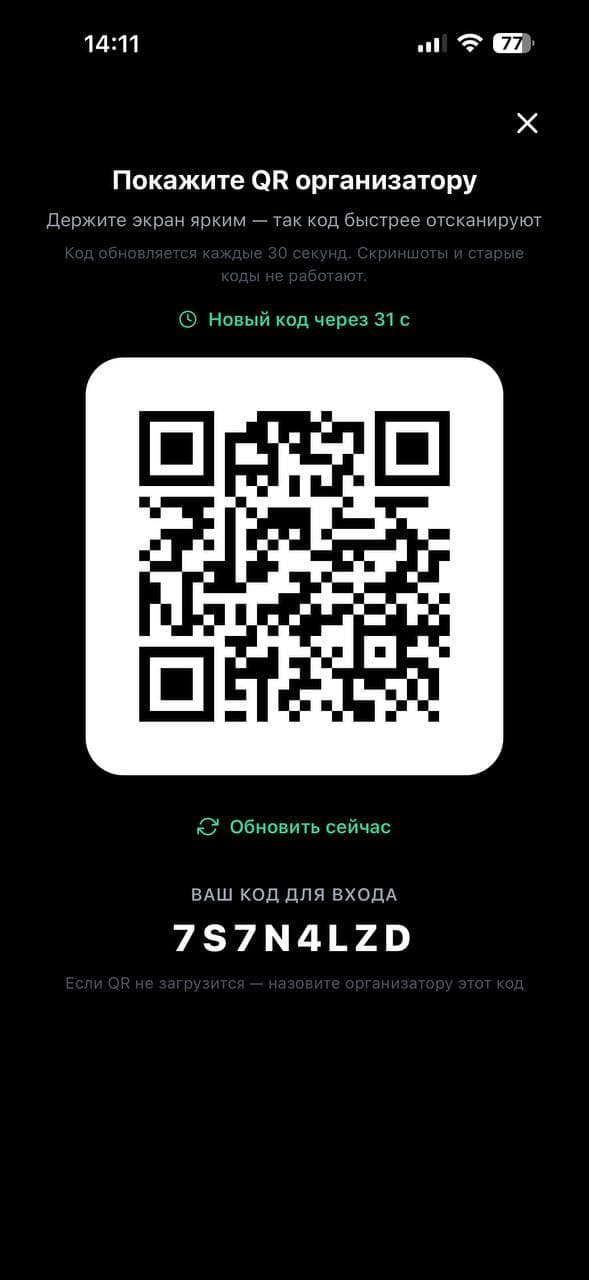
- QR at the entrance: scans quickly and can't be reused from a screenshot forever
- Both participant and organizer in one app, before the App Store release
Home and nearby catalog
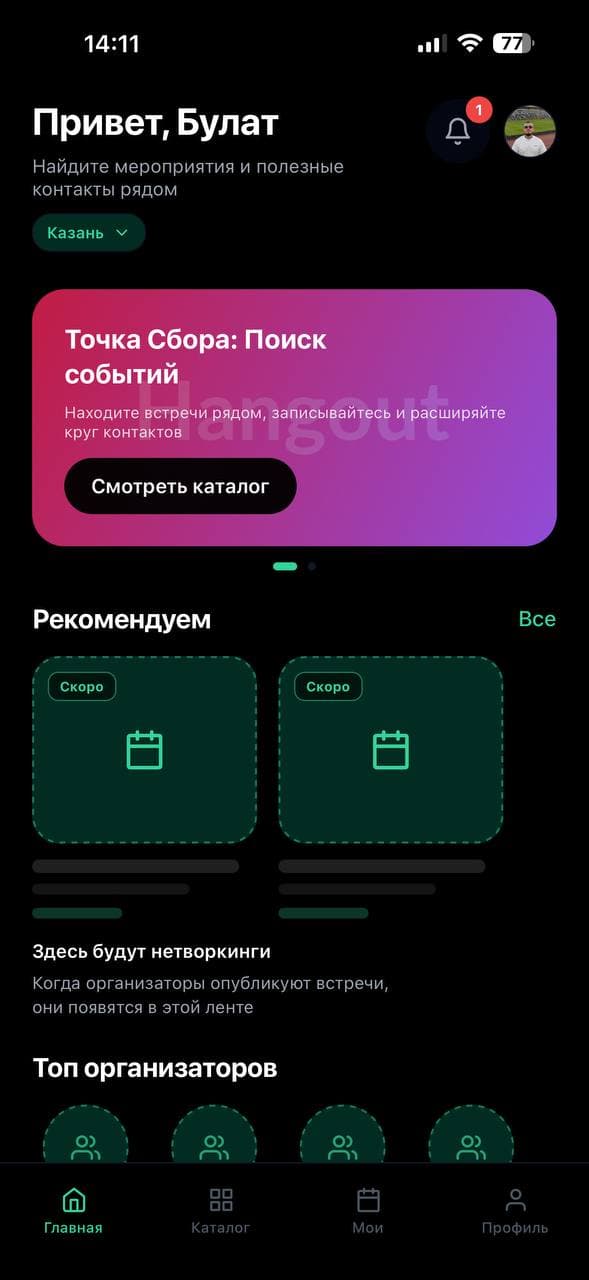
The main screen: city, event search banner, networking feed and top organizers. A person immediately understands what to look for nearby and where to go next - the catalog.
My plan and sign-up
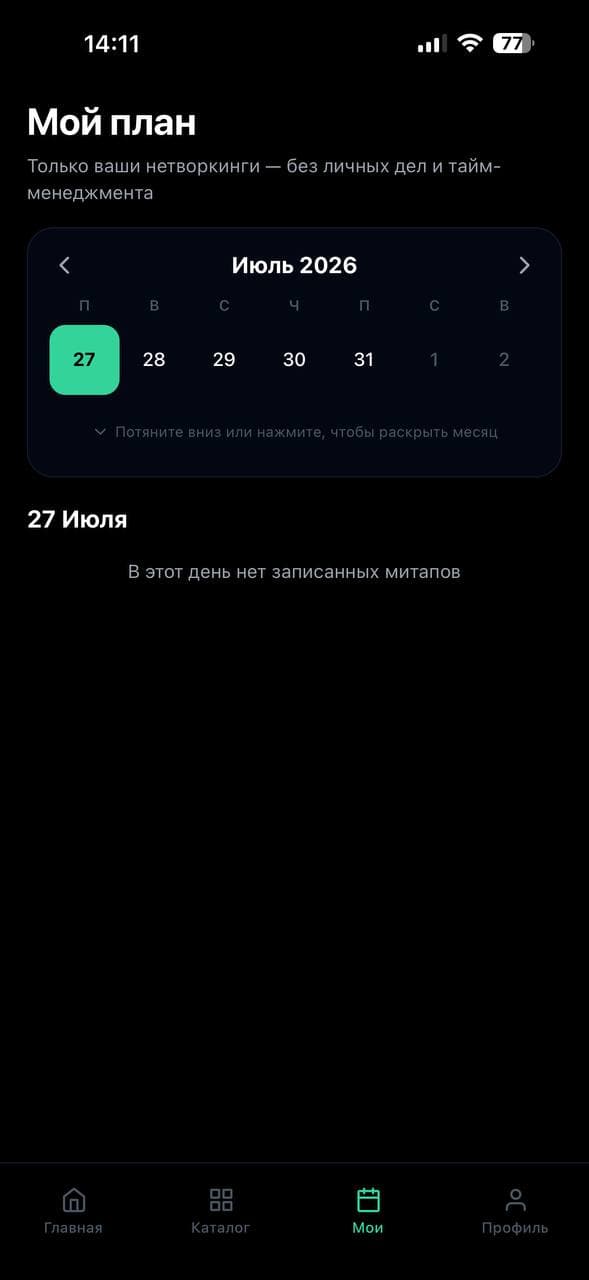
A separate "My plan" screen: only your networking events in a calendar, no personal time management. Once signed up, you see the day, and an empty state if there are no meetups.
Profile, QR and organizer panel
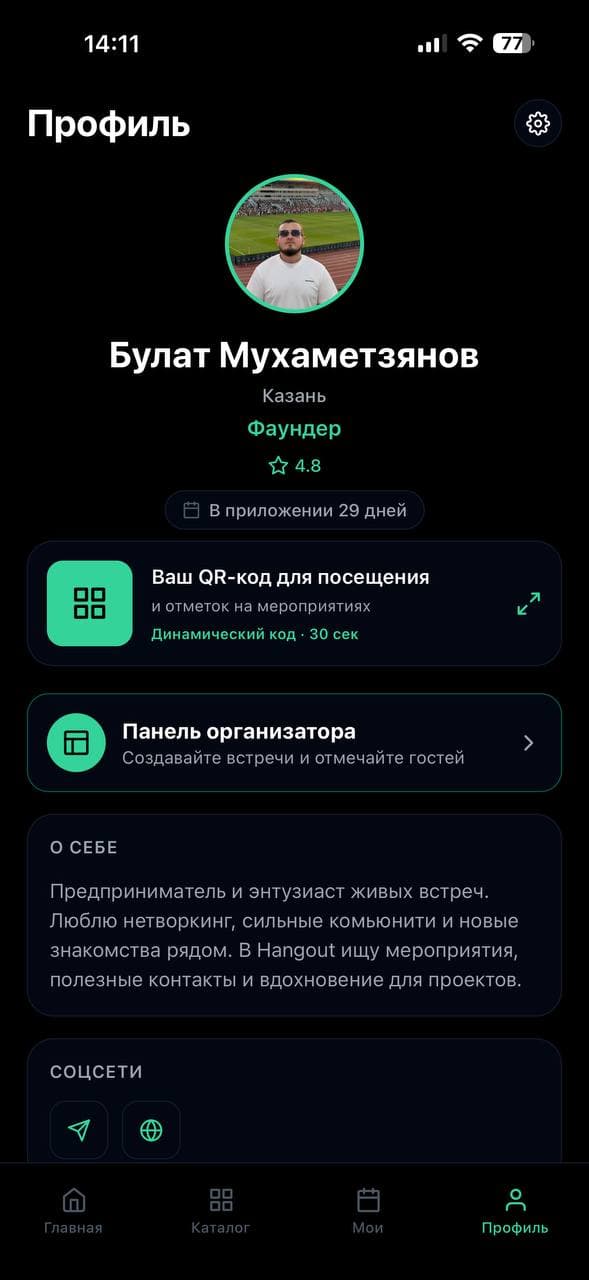
The profile has a rating, "about me" and social links. A dynamic QR (refreshes about every 30 sec) for check-in at the entrance. The organizer panel: create meetups and check in guests.
App Store release
We took the iOS product all the way to the store: design → development → testing → publication. Hangout is JimmyNeuron's own product, not an external "built and forgotten" project.
Gallery
How it works
User scenario
- Opens Hangout, picks a city and browses events nearby
- Signs up for a meetup and sees it in "My plan"
- Shows the dynamic QR to the organizer at the entrance
- In the profile acts as a participant or enters the organizer panel
Team / admin scenario
- Organizers or the content team create and update events in the backend
- Cards and schedules appear in the app catalog
- User sign-ups are collected and available to support the event
Technology
Timeline: Design → development → test → App Store release
Result and business effect
Hangout (Meeting Point) published in the App Store: event catalog, “My plan”, profile with dynamic QR, and organizer panel. The case includes live screenshots. Store link in the case header.
A fit if you need
- You need an iOS mobile app with a clear "found it → took action" scenario - iOS and Android apps
- Event catalog, sign-up, profiles and push - without a bloated six-month MVP - iOS and Android apps
- You want to bring your own product to the store, not stop at TestFlight - iOS and Android apps
Frequently asked questions
Questions about this type of project, the same ones clients ask before a similar build.
Native or Flutter / React Native?
Native Swift and Kotlin give you full device capabilities and speed. Flutter and React Native share one codebase across platforms and are faster and cheaper for an MVP. We lock the choice after the brief, once flows, integrations and timeline are clear.
Do you handle App Store and Google Play publishing?
Yes. We prepare screenshots, descriptions and the privacy policy, take the build through Apple and Google review, and publish to RuStore. The app goes out under your developer account.
Would a Telegram Mini App or a website be enough?
For testing a hypothesis, often yes: a Mini App or website needs no install and no store review. An app pays off when push, offline mode, camera, biometrics and a home-screen icon matter. We will tell you honestly at the brief which format fits.
How much does an app cost and how long does it take?
Cost depends on the task: you get an estimate within 1–2 days after the brief. As a rough guide, an iOS and Android MVP takes 8–16 weeks with a tight first release.
Need an App Store app?
Describe the user scenario (what they do in 60 seconds after open) - we’ll estimate MVP, timeline, and path to store publication.
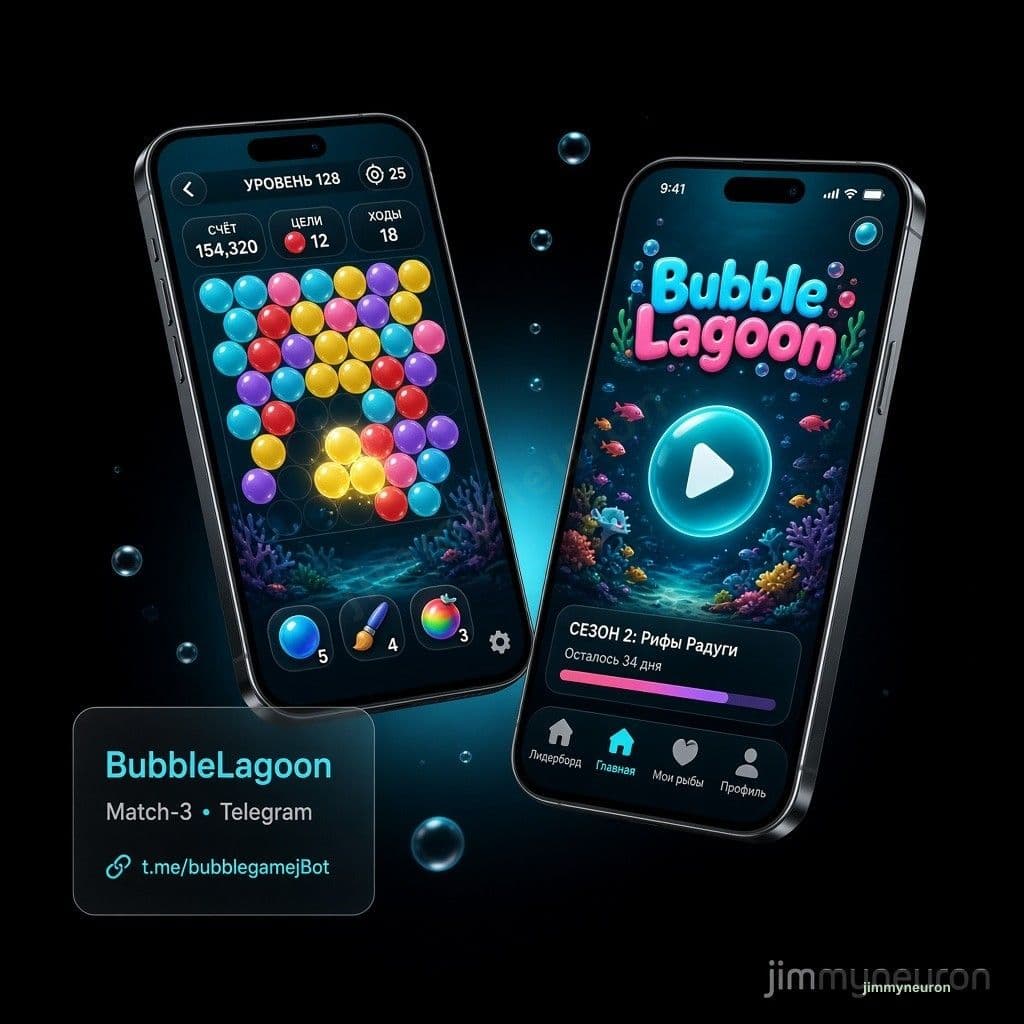
BubbleLagoon
BubbleLagoon, match-3 game
Telegram match-3 with economy, RTP, seasons, and a LiveOps admin. Vue.js + FastAPI. Peak: 50+ players online.
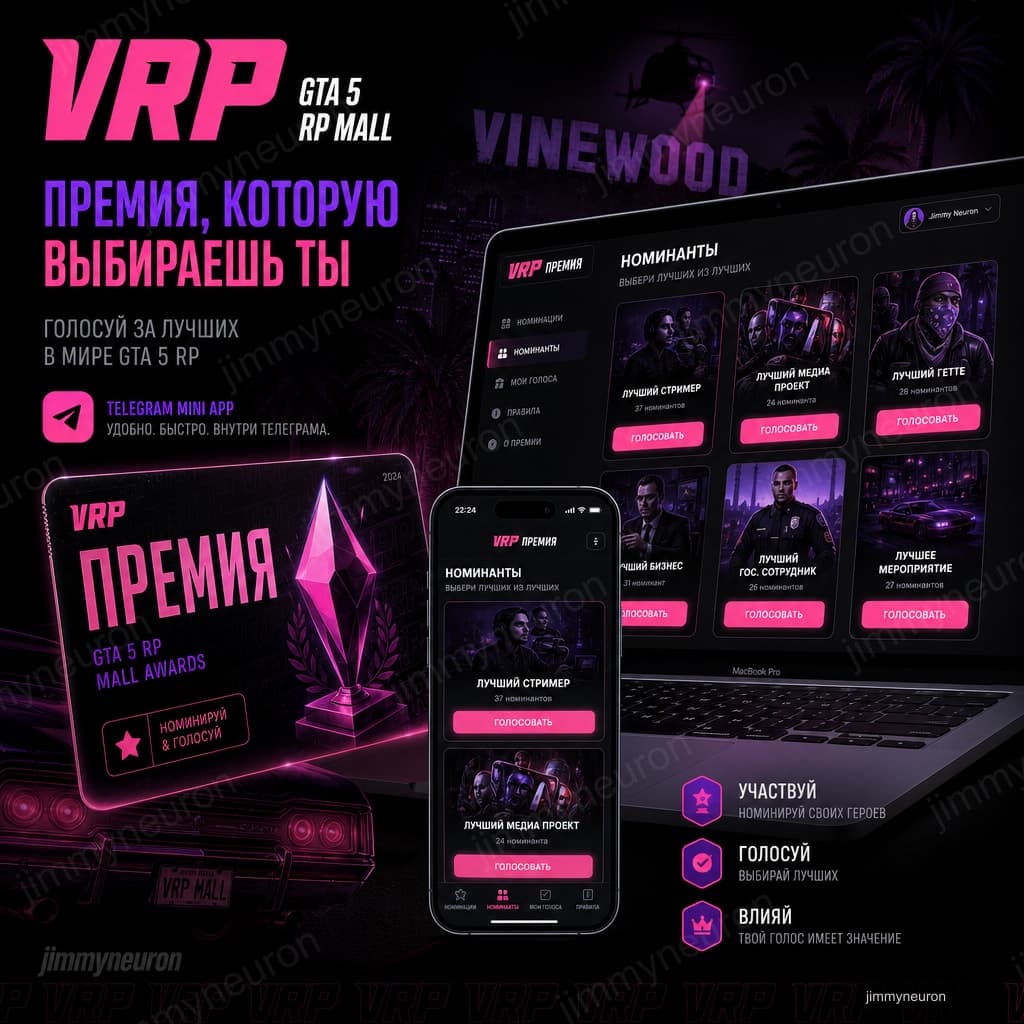
GTA 5 RP MALL
Telegram Mini App voting
Award of the Year for GTA RolePlay: nominees, votes, results. Peak ~5,000 users.
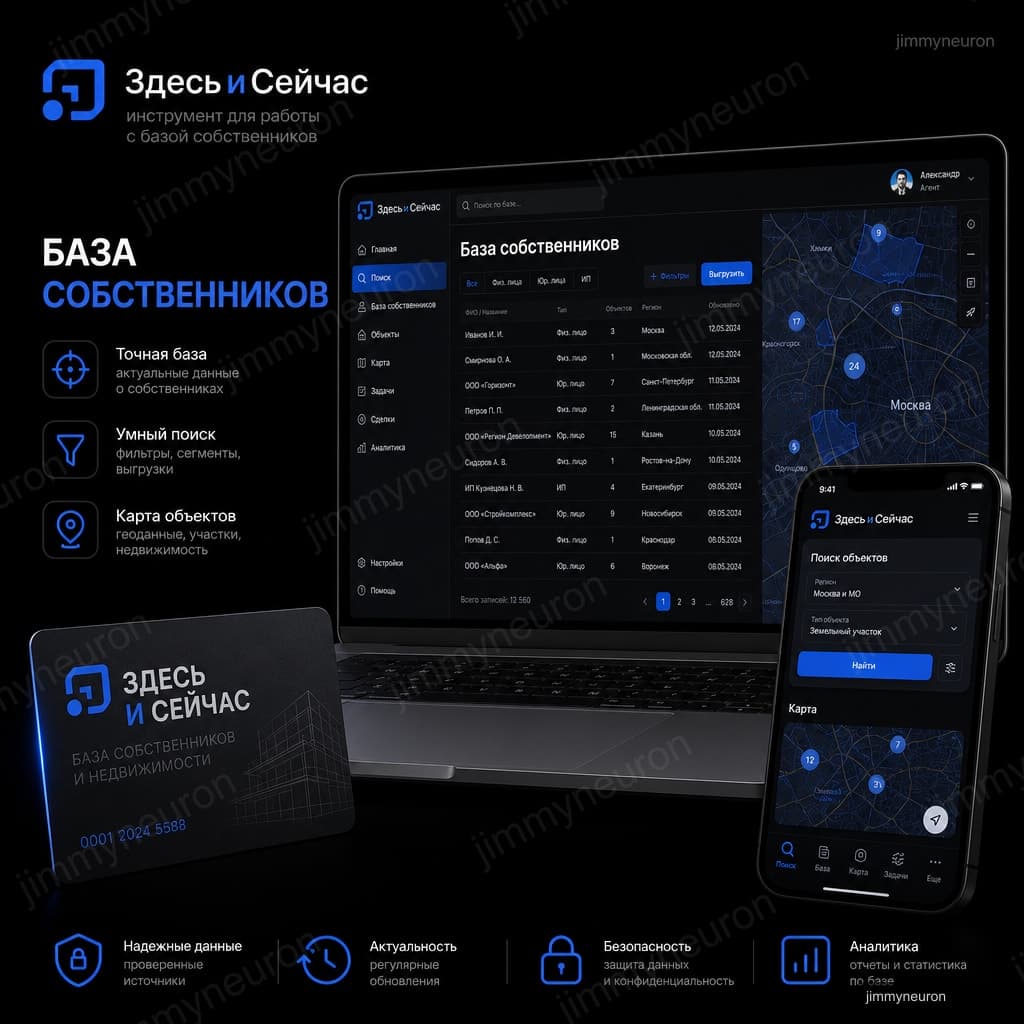
Zdes i Seichas
Real-estate owner database SaaS
Filters by district and type, contacts, CSV/Excel export for Kazan agents.